


PDF Tools in Your Chrome Toolbar
Merge, split, rotate, and convert PDFs without leaving the page you're on. Supported operations are processed locally in your browser and are not sent to ItsaPDF servers.
Opens the Chrome Web Store in a new tab.
What it does
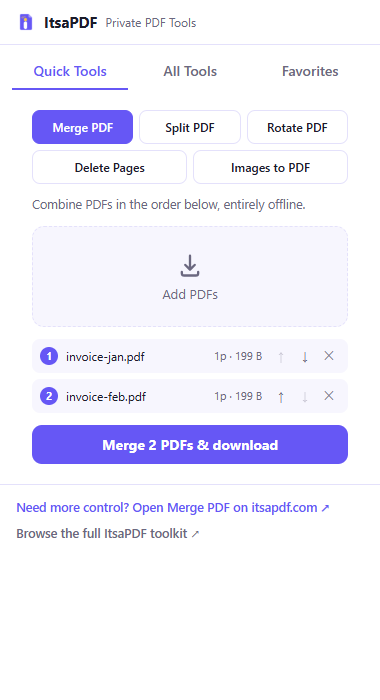
Merge PDF files into one document, right from the popup
Split a PDF into separate files by page range
Rotate selected PDF pages 90, 180, or 270 degrees
Delete pages you don't need from a PDF
Turn JPG or PNG images into a PDF
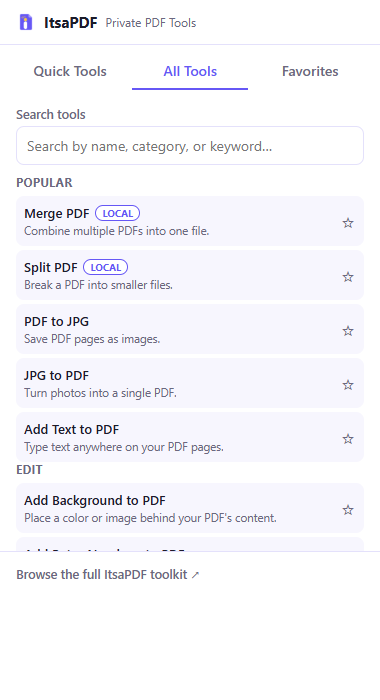
Search the full ItsaPDF tool catalog and open any tool from the toolbar
How it works
Step 1
Open the extension
Click the ItsaPDF icon in your Chrome toolbar.
Step 2
Choose a file
Select or drop a supported PDF or image file into the popup.
Step 3
Process or open a tool
Merge, split, rotate, delete pages, and image-to-PDF run directly in the popup. Any other tool opens the matching page on itsapdf.com in a new tab.
Step 4
Save the result
Download the finished file the same way as any other browser download.
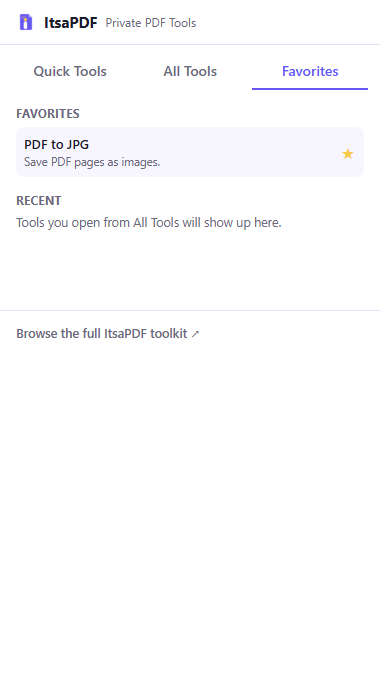
The extension popup
What the extension does — and doesn't — do
Supported PDF operations are processed locally in your browser and are not sent to ItsaPDF servers. No account is required, and no analytics SDK was found in the extension's code. This describes how the extension is built — it isn't a guarantee against every possible risk, such as a compromised browser or device.
- No account required
- No analytics SDK in the extension
- Your PDF and image files are not stored in the extension's local storage
- Stored preferences are limited to favorited tools, recently opened tools, and the last-used popup tab
Permissions, explained
storage
Saves a small set of local preferences on your device — your favorited tools, your recently opened tools, and which popup tab you last had open. This data is never synced or sent anywhere.
contextMenus
Adds ItsaPDF shortcuts to Chrome's right-click menu, so you can jump to a tool from a page or a PDF link.
activeTab
Used only when you open the popup, to check whether the current tab appears to have a PDF open so the popup can show a relevant hint. It does not read the page's content and does not store the tab's URL.
Get the ItsaPDF Chrome extension
Free to install from the Chrome Web Store. No account required.
Opens the Chrome Web Store in a new tab. Need help? Contact support.
Frequently asked questions
Quick answers about the Chrome extension, permissions, and privacy.
Which PDF tools work directly inside the extension?
Merge PDF, Split PDF, Rotate PDF, Delete Pages, and turning JPG or PNG images into a PDF all run directly in the extension popup. Every other tool in the catalog opens the matching page on itsapdf.com in a new tab.
Does the extension upload my files?
Supported PDF operations are processed locally in your browser and are not sent to ItsaPDF servers.
Why does the extension request activeTab?
Only to check, when you open the popup, whether the current tab appears to have a PDF open, so the extension can show a relevant shortcut. It does not read page content or store the tab's URL.
Does it work without creating an account?
Yes. There's no account, no sign-in, and no sign-up anywhere in the extension.
Where can I read the extension privacy policy?
The full privacy policy is at itsapdf.com/chrome-extension-privacy/, linked below.
Is the extension available for browsers other than Chrome?
ItsaPDF's extension is built and tested for Google Chrome. It hasn't been verified on other Chromium-based browsers, so we don't currently claim support for Edge, Brave, or Opera.